

Download WhatsAppTime – Free Desktop App for WhatsApp on Windows, Mac, Android & iOS
WhatsAppTime is a powerful, secure, and user-friendly desktop application that lets you chat on WhatsApp directly from your PC or laptop. Designed for Windows, Mac, Android, and iOS users, this tool brings the full WhatsApp experience to your desktop, offering a larger screen, faster typing, and seamless multitasking. Whether you're managing personal chats or handling professional conversations, WhatsAppTime simplifies communication by eliminating the need to constantly switch between your phone and computer. With a simple QR code login, instant sync, and real-time messaging, this app is ideal for anyone seeking a more efficient way to stay connected. Download WhatsAppTime today and enjoy a smarter, faster, and more comfortable messaging experience on your desktop.
Key Features of WhatsAppTime
- Desktop WhatsApp Access – Use WhatsApp on your PC without relying on your smartphone. Chat, send media, and manage conversations from your desktop.
- QR Code Login – Connect your WhatsApp account in seconds by scanning a QR code with your mobile device. No complex setup or third-party access required.
- Multi-Device Sync – Stay connected across devices. Messages sync in real time, ensuring you never miss a conversation.
- Large Screen Advantage – Enjoy a bigger display for longer messages, easier media viewing, and smooth multitasking.
- Fast Typing & Keyboard Support – Use your full keyboard and mouse for quick, accurate typing—perfect for long emails or detailed messages.
- Secure & Private – End-to-end encryption is preserved. WhatsAppTime does not store your data or messages on its servers.
- Lightweight & Fast – Minimal system resource usage ensures smooth performance even on older machines.
- Supports All Platforms – Available for Windows, Mac, Android, and iOS. Use WhatsAppTime on your preferred device.
Why WhatsAppTime Stands Out: A Seamless Desktop Experience
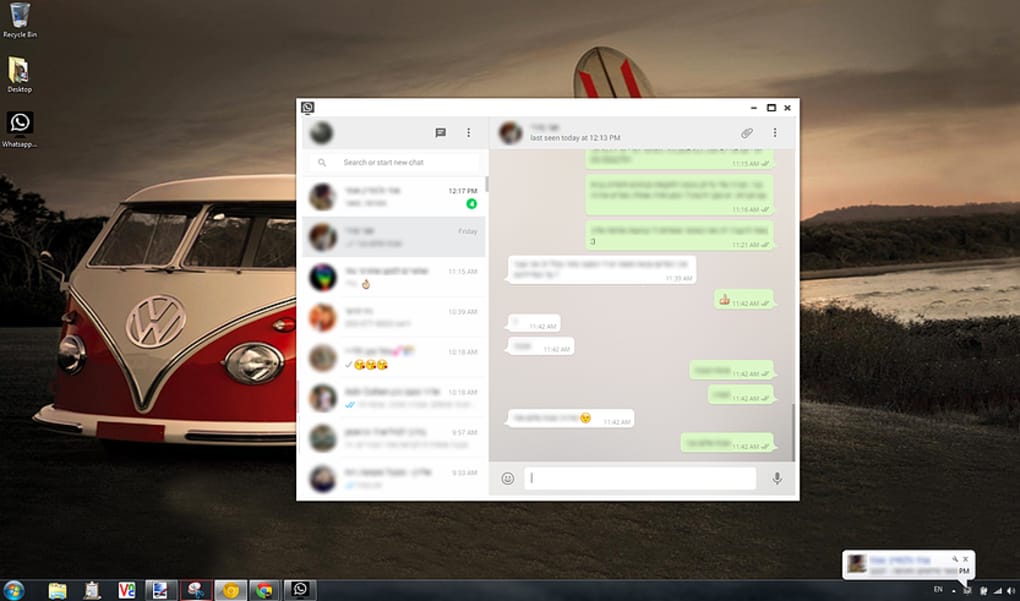
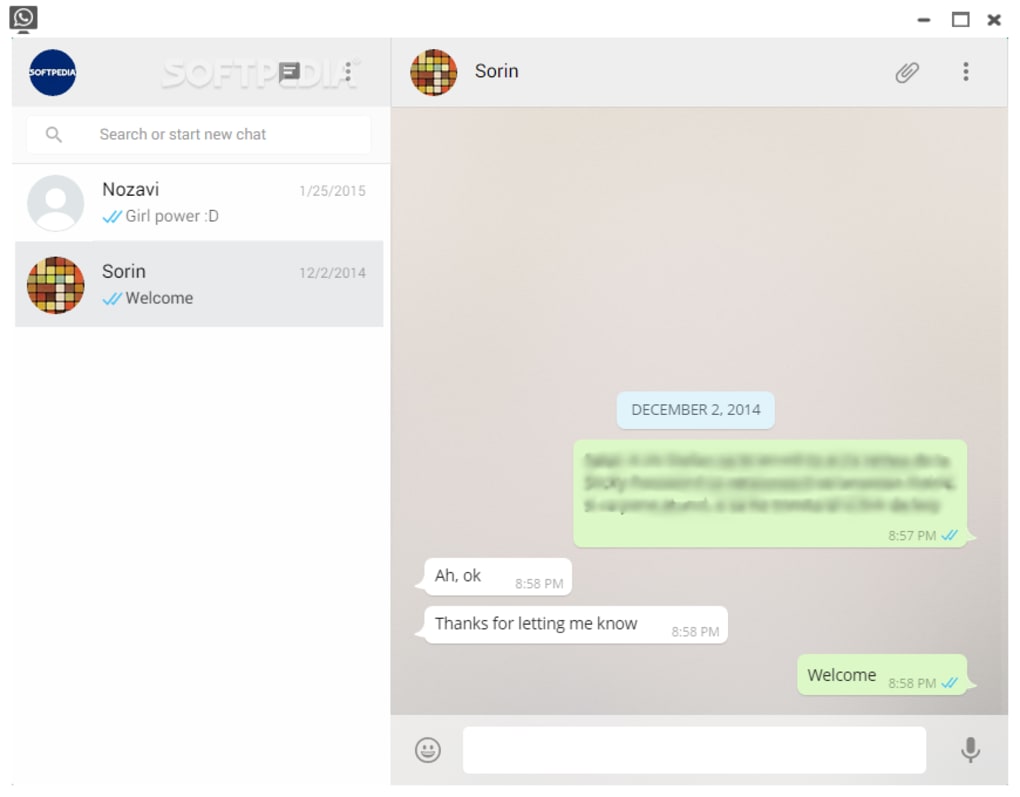
WhatsAppTime redefines how you interact with WhatsApp by bringing the app to your desktop in a way that feels natural, intuitive, and efficient. Unlike other third-party tools that require complicated configurations or compromise on security, WhatsAppTime delivers a clean, official-like interface that mirrors the original WhatsApp design—only optimized for larger screens. The moment you launch the app, you’re greeted with a familiar layout: chat list on the left, message window on the right, and a sleek status bar at the top. This consistency ensures that even first-time users can navigate effortlessly.
One of the most significant advantages is the typing experience. Typing long messages on a smartphone’s virtual keyboard can be frustrating and slow. With WhatsAppTime, you can use your physical keyboard and mouse, dramatically increasing speed and accuracy. Whether you’re writing a detailed message, drafting a work email, or sharing a long story with friends, the desktop interface makes it a breeze. The larger screen also allows you to view multiple conversations simultaneously, switch between chats with a click, and manage group discussions more effectively.
Another standout feature is the real-time sync. As soon as you receive a message on your phone, it appears instantly on your desktop. No delays, no missed notifications.
This is especially useful for professionals who need to stay on top of urgent messages while working on their computer. Plus, the app supports file sharing—images, videos, documents, and audio files can be sent and received just like on your mobile device. The media preview function lets you view attachments directly in the app without opening external programs.
Security is also a top priority. WhatsAppTime does not store your messages or contacts on any server. All data remains encrypted and private, just like the official WhatsApp app. This ensures peace of mind, especially when handling sensitive information. Whether you’re using it at home or in a shared office environment, your conversations remain confidential and protected.
How to Install and Use WhatsAppTime on Your PC
Getting started with WhatsAppTime is incredibly simple—no technical expertise required. Follow these easy steps to begin using WhatsApp on your desktop:
- Download the App – Visit the official WhatsAppTime website and download the installer for your operating system (Windows or Mac). The file is lightweight and safe to install.
- Install the Software – Run the downloaded file and follow the on-screen instructions. The installation process takes less than a minute and doesn’t require admin rights on most systems.
- Launch WhatsAppTime – Once installed, open the app. You’ll see a QR code displayed on the screen.
- Scan the QR Code – Open WhatsApp on your smartphone, go to Settings > Linked Devices, and select Link a New Device. Use your phone’s camera to scan the QR code shown on your PC.
- Confirm Connection – A prompt will appear on your phone asking to link the device. Tap “Link” to complete the process.
- Start Chatting – Within seconds, your WhatsApp account will be synced, and you can begin messaging, sharing files, and managing conversations from your desktop.
Once connected, WhatsAppTime runs in the background and automatically reconnects when you restart your computer. You can also set it to launch at startup for a seamless experience. The app is designed to be lightweight, so it won’t slow down your system or consume excessive memory. It’s ideal for both casual users and professionals who rely on constant communication.
Compatibility & System Requirements
WhatsAppTime is built to work across a wide range of devices and operating systems, ensuring maximum accessibility for all users. Whether you’re using a Windows PC, Mac laptop, Android tablet, or iOS device, you can enjoy the full WhatsApp experience without limitations.
Windows Support: Compatible with Windows 7, 8, 10, and 11 (32-bit and 64-bit versions). No additional software is required.
macOS Support: Fully optimized for macOS Mojave (10.14) and later versions, including Ventura and Sonoma. The app runs smoothly on Intel and Apple Silicon (M1/M2) Macs.
Mobile Compatibility: Works with all smartphones running WhatsApp—Android (5.0 and above), iPhone (iOS 12 and later), and even older devices like Nokia and Blackberry (if WhatsApp is supported).
System requirements are minimal. You’ll need at least 512 MB of RAM, 100 MB of free disk space, and an active internet connection. The app also requires WhatsApp to be installed and running on your mobile device to maintain the connection.
One of the biggest benefits of WhatsAppTime is that it doesn’t require you to root your phone or jailbreak your device. It uses WhatsApp’s official API for device linking, ensuring compatibility and security. This makes it a reliable choice for users who value both functionality and privacy.
Pros and Cons of WhatsAppTime
Pros
- ✅ Seamless desktop integration with full WhatsApp functionality
- ✅ Simple QR code setup—no technical skills needed
- ✅ Real-time message sync across devices
- ✅ Enhanced typing experience with physical keyboard and mouse
- ✅ Supports all major platforms: Windows, Mac, Android, iOS
- ✅ Lightweight and fast performance
- ✅ Maintains end-to-end encryption and privacy
- ✅ Ideal for professionals and frequent communicators
Cons
- ❌ Requires a smartphone with WhatsApp to stay connected
- ❌ Not available as a standalone app on app stores (must download from official site)
- ❌ Occasional sync delays if phone is offline
- ❌ Limited customization options compared to official apps
Frequently Asked Questions (FAQ)
Is WhatsAppTime safe to use?
Yes, WhatsAppTime is safe and secure. It uses WhatsApp’s official device linking system and does not store your messages or personal data on any server. All communication remains encrypted end-to-end, just like the official WhatsApp app.
Can I use WhatsAppTime without my phone?
No, WhatsAppTime requires your smartphone to be online and running WhatsApp to maintain the connection. The desktop app acts as a secondary device and cannot function independently.
How do I update WhatsAppTime?
The app checks for updates automatically. When a new version is available, you’ll receive a notification. You can also manually check for updates via the app’s settings menu.
Is WhatsAppTime free to download?
Yes, WhatsAppTime is completely free to download and use. There are no hidden fees or premium subscriptions. The developers offer the app as a free tool to enhance user experience.
Does WhatsAppTime support group chats?
Absolutely. WhatsAppTime fully supports group chats, including sending messages, sharing files, and managing participants—all from your desktop.
Final Verdict: Why You Should Download WhatsAppTime Today
If you're tired of constantly switching between your phone and computer, WhatsAppTime is the perfect solution. This desktop app delivers the full WhatsApp experience with a larger screen, faster typing, and seamless multitasking—making communication more efficient and enjoyable. Whether you're a student, professional, or just someone who loves staying in touch with family and friends, WhatsAppTime simplifies your daily routine.
With its easy installation, strong security, and cross-platform support, it’s no wonder why thousands of users have already made the switch. It’s not just a tool—it’s a lifestyle upgrade for anyone who values productivity and convenience.
Ready to experience WhatsApp like never before? Download WhatsAppTime now—free, secure, and instantly available for Windows, Mac, Android, and iOS.







